Everything Sweeply can do

Clean, organize, and revisit your library—privately.

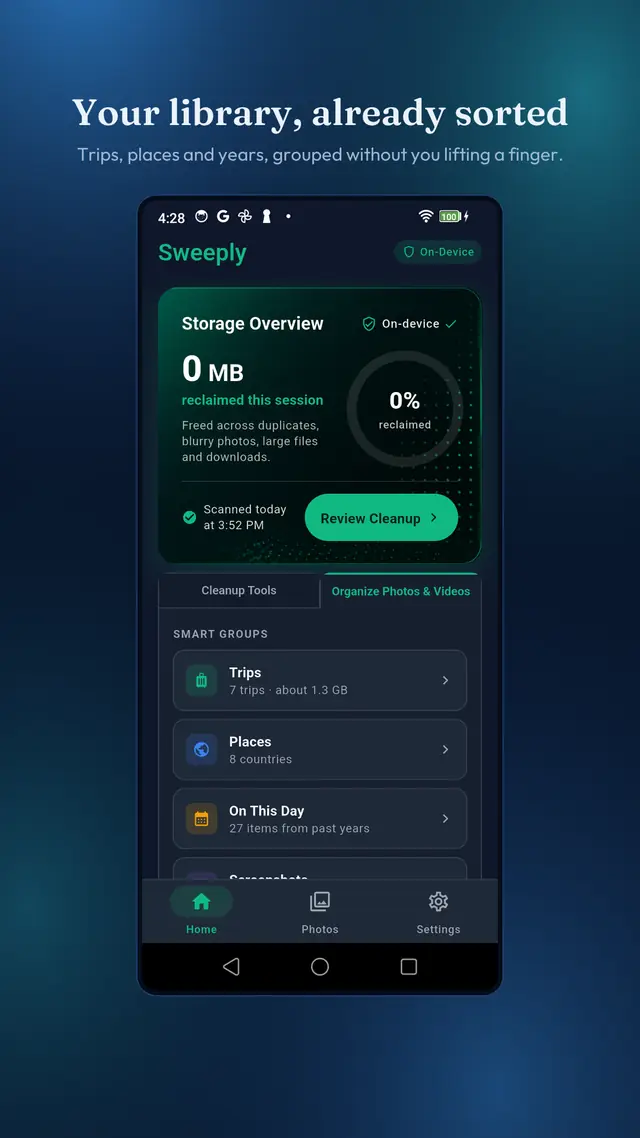
Sweeply pairs practical storage tools with a richer way to browse your memories. The media stays on your device; you stay in control.

Cleanup tools

Find the files you will not miss.

Each tool answers a different storage problem. Only duplicate matching and blur or closed-eye detection use on-device AI; the other tools stay simple, direct, and local.

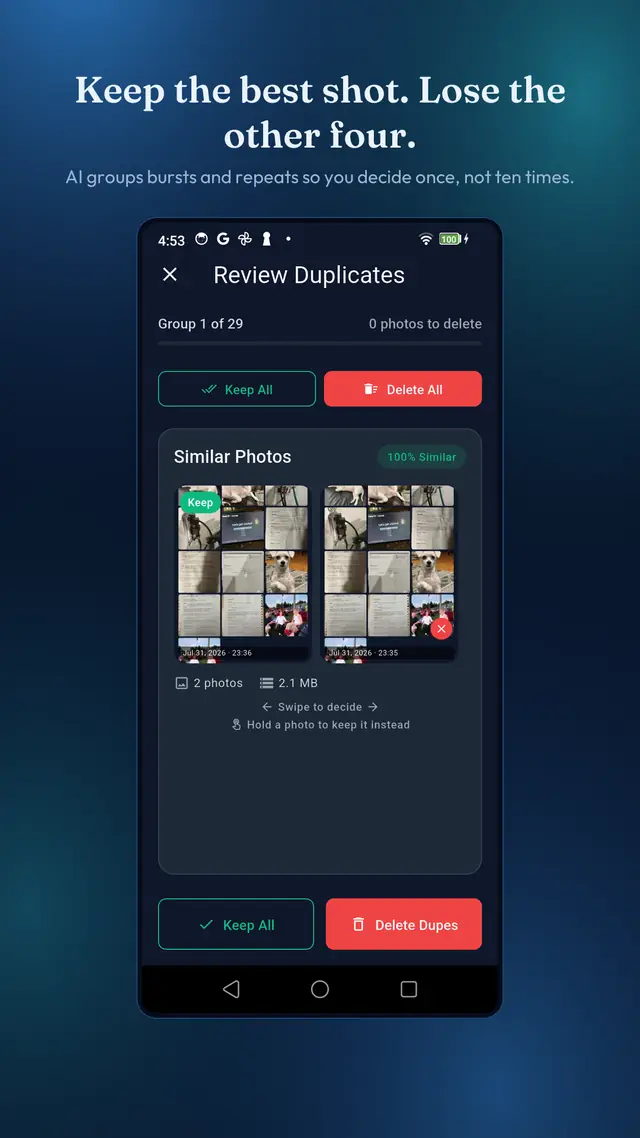
Duplicate and similar photo review in Sweeply

On-device AI

Duplicates & similar shots

Perceptual matching groups photos that look alike—bursts, retakes, and files saved twice—then ranks the group to suggest the best frame.

  • Compare each group before deciding.
  • See similarity, photo count, and potential space saved.
  • Keep all or remove only the copies you choose.
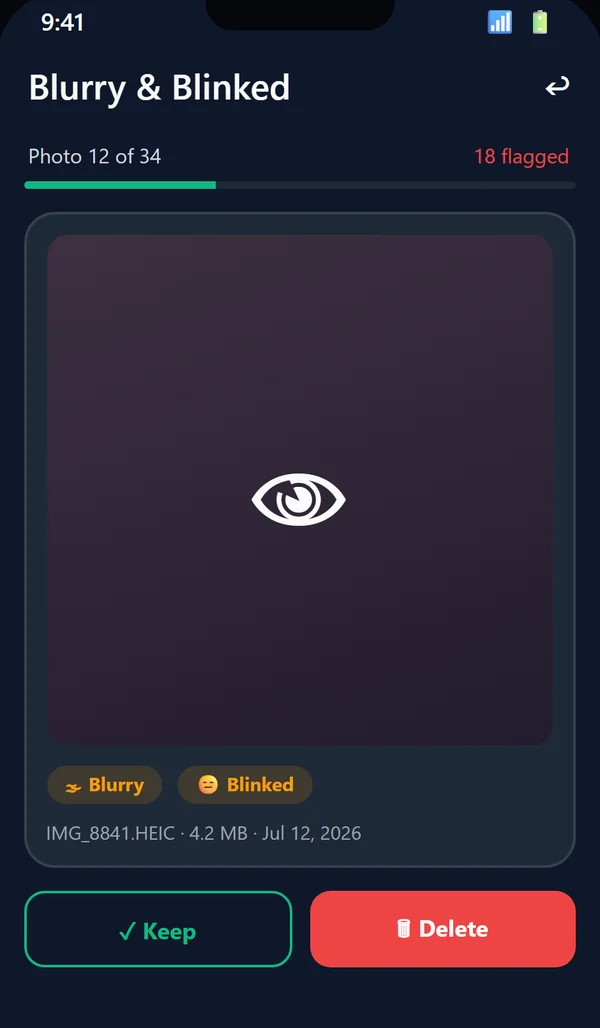
Blurry and closed-eye review with the detection reason shown

On-device AI

Blurry & closed-eye detection

Neural face detection and image-quality checks surface soft frames and photos where someone blinked. Every suggestion explains why the image was flagged.

  • Review one photo at a time with clear reasons.
  • Swipe to keep or mark for deletion.
  • Blur detection builds no face profile, and nothing is uploaded.
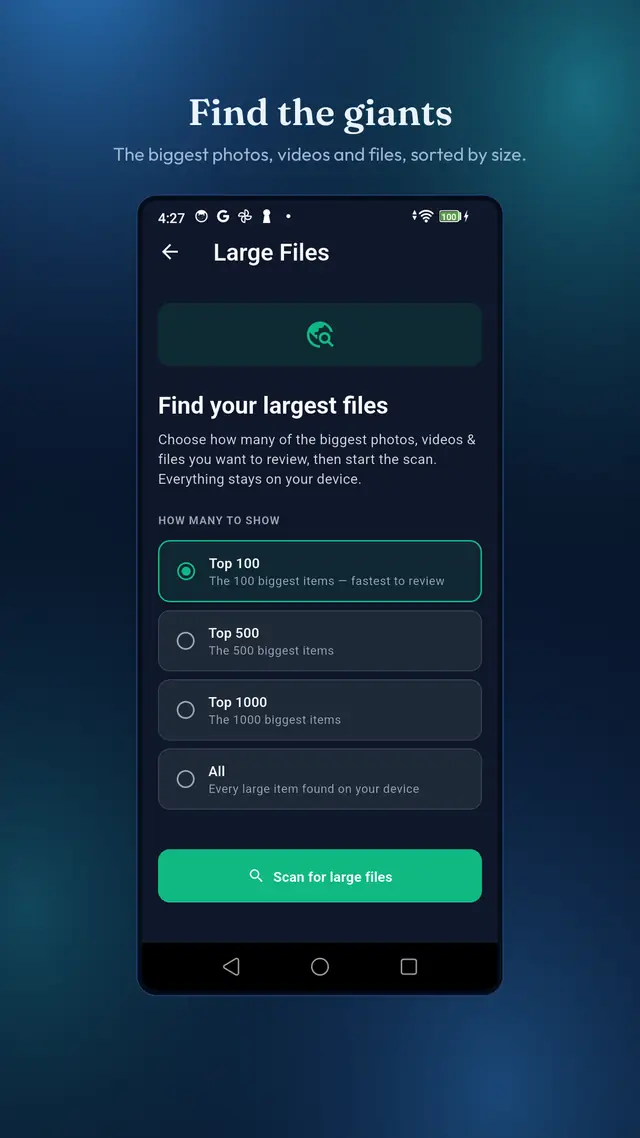
Large files scan options in Sweeply

Largest first

Large files, ranked

Skip the tiny files and go straight to the photos, videos, and other items making the biggest difference to your available storage.

  • Choose a focused scan or review everything.
  • Sort by size before selecting anything.
  • Review the deletion preview before confirming.

On Android, Large Files can reach supported files across the device. On iPhone, it covers photos and videos because iOS does not provide filesystem-wide access.

RecommendedLarge filesOlder filesDuplicatesSort what is hiding in Downloads.

File cleanup

Downloads, finally visible

Old installers, PDFs, ZIP archives, and forgotten files stop hiding in one long folder. Sweeply groups them by type, age, size, and recommendation.

  • Filter Recommended, Large, Old, and Duplicates.
  • Open a file before you decide.
  • Choose the Downloads folder you want scanned.
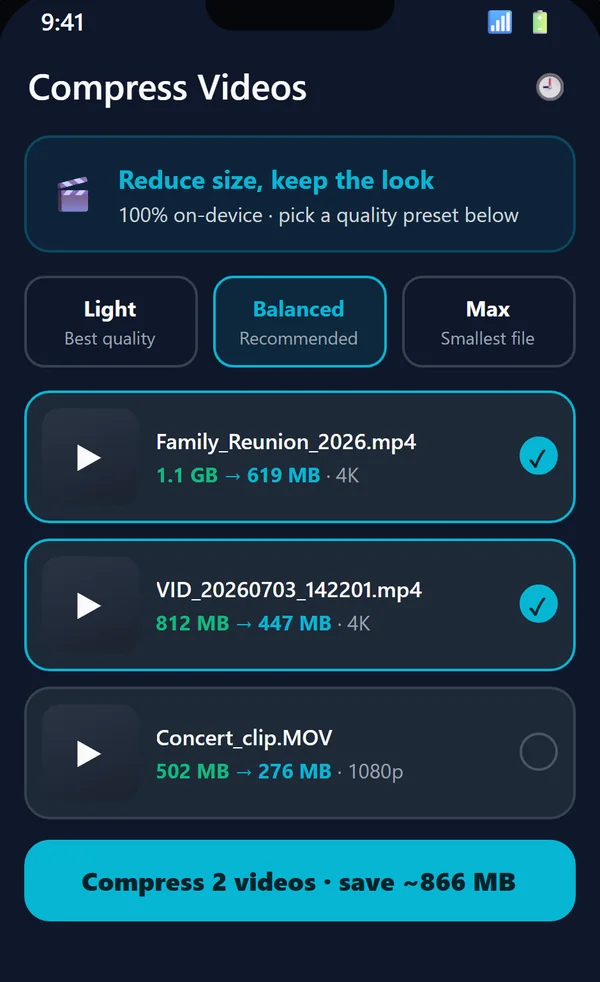
Sweeply video compression quality options and estimated savings

On-device utility

Compress videos without a cloud round trip

Select Light, Balanced, or Max compression and review the estimated result before starting. Compression runs on the device and completed jobs stay visible in a local history.

  • Three quality and space-saving choices.
  • Queue multiple videos and follow progress.
  • Efficient videos can be skipped instead of recompressed.

One rule across every tool

Sweeply suggests. You decide.

Nothing is silently deleted, uploaded, or turned into a profile. The app explains what it found and waits for you.

How privacy works →
Review firstSee the files before removal.
Undo during reviewChange your mind while deciding.
Local historyVerify what space was reclaimed.
Standard trashPlatform recovery behavior still applies.

Download Sweeply

Try the whole Sweeply story.

Every feature on this page ships in the app, on both platforms.

Download on the App StoreGet it on Google Play